

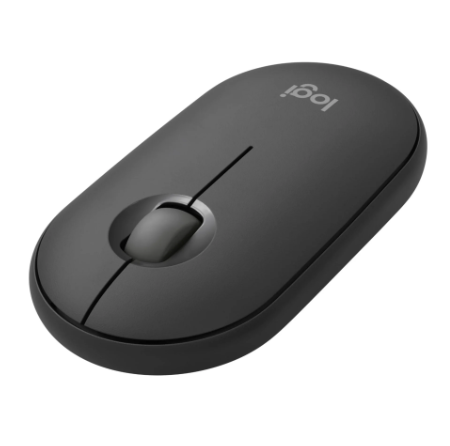
Most buyers spend weeks comparing processors and storage, then plug the finished machine into nothing at all. The laptop is capable of excellent performance. The setup around it is not. Computer accessories decide how comfortable, fast and reliable that machine feels once real work begins, and they are usually the part nobody budgets for.
The gap shows up in small daily frictions: a cramped keyboard, a webcam that flattens your face, one port doing four jobs. Chosen deliberately, computer accessories remove those frictions and turn an ordinary laptop into a workstation that handles long sessions without complaint. The machine stays the same. The working day does not.
Why a Strong Specification Alone Rarely Fixes Daily Work
The Machine Is Only Half the Setup: A laptop bought on specification alone still leaves the user staring down at a low screen, typing on a shallow keyboard and steering with a trackpad never built for eight-hour days. Processing power does not correct posture, audio quality or cable clutter, and those shape how a working day actually feels.
Ports Run Out Faster than Expected: Most slim laptops ship with two or three ports, so a monitor, an external drive and a charger compete for the same sockets from day one. A docking station or hub that supports USB-C power delivery frees those connections and keeps the machine charged while every other device stays plugged in.
See also: How Implementing Life Care Planning Services Enhances Patient Outcomes
The Quiet Cost of Delaying a Proper Setup
Small Frictions Compound over Months: Neck strain, squinting at a small panel and re-recording calls because the built-in microphone picked up the room do not announce themselves as problems. They show up as slower days, more mistakes and work spilling into the evening, which is harder to trace back to the equipment than to the person.
Technicians See the Same Pattern: In everyday support work, technicians routinely meet users who ran for years on one worn charger and a single shared cable, then lost a full day when the cable finally failed mid-deadline. Options narrow at that point. Urgent replacements are bought on availability rather than fit, and the wrong kit stays in service for years.
Matching Accessories to How the Setup Is Used
Fixed Desks Reward Comfort First: Fixed desks justify the full kit: an external monitor at eye height, a full-size keyboard, a proper mouse and a wired headset for calls. Computer accessories chosen for a stationary setup can be larger and heavier because nothing has to fit in a bag at the end of the day.
Travel Use Demands Fewer, Smaller Items: Someone moving between home, office and client sites benefits more from a compact hub, a padded bag, a lightweight wireless mouse and a second charger kept permanently in one location. Weight and setup time matter more than screen size. A pocket-sized external drive often replaces a bulkier backup routine for most users.
Built-in Hardware against Dedicated Peripherals
Integrated Parts Trade Quality for Convenience: Built-in webcams, speakers and keyboards are available to keep a laptop thin, not to perform well. They are adequate for short use and noticeably weaker over long sessions. Confirming peripheral device compatibility before purchase, particularly connector type and driver support, prevents buying good hardware the machine cannot fully use. A wide catalogue makes that check simpler.
External Kit Wins on Replacement: A failed external keyboard costs one keyboard. A failed built-in keyboard often means a service visit and days without the machine. That difference matters most for organisations running several units, where separate parts can be swapped, shared or upgraded without taking anyone off their work for a repair that could have been avoided.
Kit that Outlives the Laptop It Was Bought For
Accessories Move between Machines: A laptop is usually replaced well before the equipment plugged into it wears out. A good monitor, keyboard, headset and dock often serve two or three machines. Treating computer accessories as a long-term investment rather than an afterthought spreads the cost across several machines and reduces what has to be rebought at each upgrade.
Protection Costs Less than Replacement: A padded bag, a surge-protected charger and a reliable external drive quietly protect the most expensive items in the setup. Mains power that dips and surges damages chargers and drives more often than users expect, and each risk has a low-cost accessory built to absorb it, which costs far less than replacing the machine behind it.
What to Check before Adding Anything to a Setup
Buying well matters more than buying more. A few well-matched computer accessories improve a working day far more than a drawer of generic items that never quite fit. The checks below keep spending focused on what the setup genuinely lacks. Most setups need three or four additions, not a full refit.
- Check the port types and count on the machine before buying anything that needs a cable.
- Match monitor height and keyboard position to the desk and chair already in use.
- Choose a headset with a boom microphone when calls form part of the daily routine.
- Confirm a charger delivers the wattage the laptop actually draws, not just the right connector.
- Keep one spare cable and one backup drive on hand, because both fail without warning.
Where the Real Difference Shows Up Every Day
The right additions turn a capable machine into a setup that supports long, focused work instead of quietly resisting it. Every month without them is another month of avoidable strain, lost time and hardware used below its potential. Browse the accessories range and ask for a compatibility check before the next purchase.